
QR Code Templates
Maintain brand consistency. Save your custom colors, logos, and patterns as free templates to generate new, professional-looking QR codes in just one click.
 Huong PhamUpdated 2026-10-20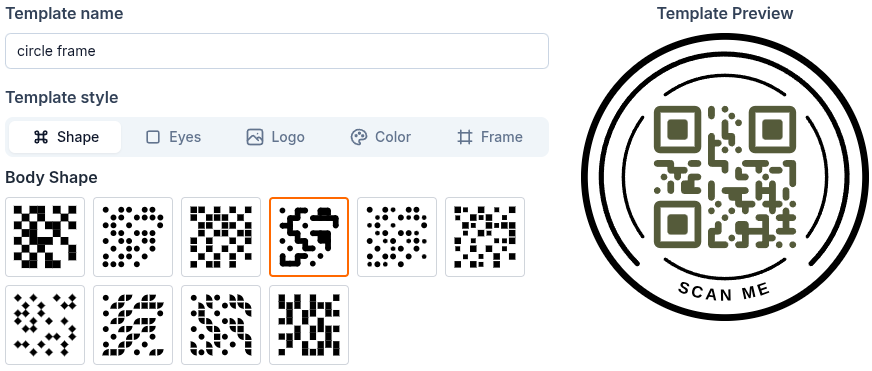
How to create QR template
There are 2 ways to create a QR code template to reuse style for your QR code.
- Create from template management: From Dashboard, go to Library > QR Templates:
- Create when generating QR code: When creating a QR code, you can also save current QR code style as template:
How to use saved templates
When generating a QR code, at Style & save step click Templates tab. All of your saved templates will appear under Your templates. Click a template to apply its style to current QR code.
Why you should use QR code templates?
- Brand Consistency: Ensure every QR code aligns with your brand guidelines using saved color palettes and logos.
- Speed up Workflow: Skip the repetitive design work. Generate professional, branded QR codes in seconds using your presets.
Important: Don't delete a template if it was used in an integration workflow
When you're using ZodQR's Zapier integration, you need to select a QR code template in the workflow. Don't delete that template, else your workflow will fail to run.
FAQ
Is it free to save QR templates?
Yes. QR Code Templates are available for all users, including free accounts.
Can I create multiple templates?
Yes! You can create as many QR Code templates as you want for different needs.
Does editing a template affect existing QR codes?
No. Templates is only for styling your new QR code. Existing QR codes get it own styles and not changing.
Can I use templates for any QR code type?
Absolutely. Templates can be applied to 35 QR code types supported by ZodQR.