
White Label QR Codes
Use your own custom domain to create dynamic QR code. Build trust with customers by keeping your brand front and center.
 Huong PhamUpdated 2026-09-28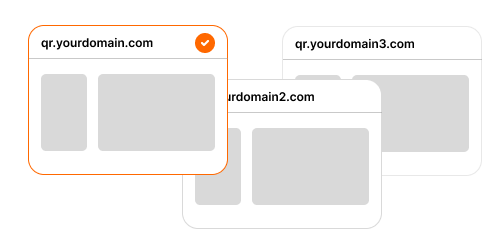
How white-label QR code work in ZodQR
Styling QR code with brand color and logo
ZodQR allow you to upload your brand logo, and generate QR code with this logo in the center of QR code for free.
You can also custom QR code style with your brand color, for free, and update existing QR code any time from Dashboard.
Learn more about custom QR code design and download high resolution QR code.
Remove ZodQR branding in QR code with landing page
Free dynamic QR code generate with ZodQR will add a short loading screen with ZodQR logo show up when your users scan your QR code.
QR code with a landing page, like PDF, MP3, List-of-links, Social media, Feedback, Rating,... also include a "Made with ZodQR" badge on page footer.
To remove ZodQR branding, upgrade to Plus subscription (from $6/mo) or above. You can also add a loading logo of your brand for dynamic QR code with paid plans.
Use your own domain
Setup a custom domain/subdomain and use it when generate dynamic QR codes. Pro subcription (from $14/mo) can add 1 domain, and Business subscription (from $32/mo) can add 5 domains.
Why you need white-label QR codes?
- Build trust instantly: Branded domains look safer and more credible than generic short links.
- Boost scan rates: People are more likely to scan QR codes that clearly belong to your brand.
- Strengthen your brand: Every scan reinforces your brand instead of promoting a third-party service.
- Remove ZodQR branding: Deliver a fully white-label experience with no external logos or links.
- Own your analytics: Track QR performance under your own domain and marketing tools.
- Enterprise-ready: Custom domains align with security, compliance, and IT requirements.
FAQ
What is a white-label QR code?
It’s a QR code that uses your company’s styling, logo, and custom domain for static and dynamic QR code.
Is it free to create white-label QR code with ZodQR?
For static QR code, you can customize your QR with brand color and logo for free. We don't add any ZodQR branding in static QR code.
For dynamic QR code, you will use ZodQR's default domain p.zodqr.com for QR link. ZodQR branding will also show up when loading QR, and "Made with ZodQR" badge is included in QR code with landing page.
To remove ZodQQR branding, upgrade to Plus plan (from $6/mo), and to use your custom domain, upgrade to Pro plan (from $14/mo).
Can I change the URL after printing?
We don't support changing the QR link after generate, because existing QR code will stop to work. Select your custom domain and back-half in Config step when generate QR.
But, you can always change your QR code destination or content, since they are dynamic ones.
Do I need a technical background to set this up?
It's quite simple to setup custom domain/subdomain for your QR code. You only need to add a A record or CNAME record to domain provider, it take unde 5 minutes to setup.
For detail guide, follow this help article for setup custom domain.
If you face any issue, or need help to setup your brand domain, please contact us via email [email protected].
Will ZodQR handle SSL certificates?
Yes, we automatically manage SSL certificates for your custom domains to ensure secure connections.