vCard Plus QR Code
Transform your business card into an interactive digital experience, where your contacts can access all your information and social networks with just a scan.

What is a vCard QR code?
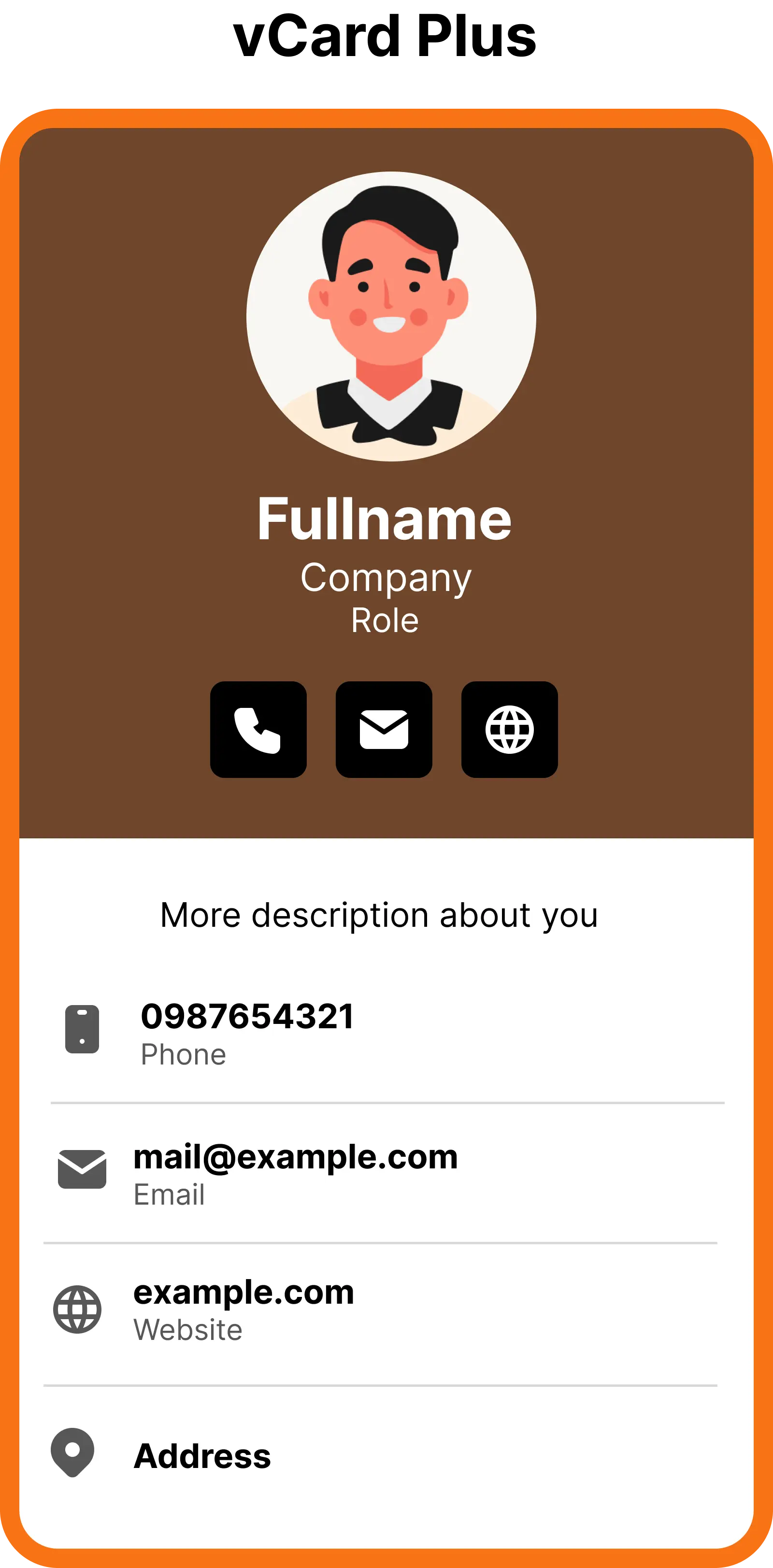
ZodQR's vCard Plus QR code is a free dynamic QR code solution, where you can convert your contact information into a QR code. When scans, the QR code will show a mobile-friendly, customizable digital business contact page. The scanners can also save your contact to their phone with a single click - now you can make people connect with you easier than ever.
What information I can add to vCard Plus QR code?
When sharing your contact by converting it into QR code, you can add a lot of information into the contact page:
- Your name, company & role, short description about yourself
- Multiple phones (work/home), emails, websites and addresses
- Links to your social medias
Why ZodQR is the best free vCard Plus QR code generator?
- No paid subscription required: with ZodQR, you can generate vCard Plus QR code, keep it active forever without paying for monthly subscription.
- Customizable QR code: custom QR code color, shape, and add logo to your QR code is totally free with ZodQR.
- Advanced QR code features available for free: set password, schedule or set scan limit for your QR. You can also add tags or place your new QR in a folder for better management.
- QR code will never expire: QR code generated with ZodQR will never expire, even if you are in the Free forever plan.
- Full-suite QR code solutions: ZodQR is not only a vCard Plus QR code generator. We have 30+ QR code solutions for all business purpose, and all free to create.
How to create free vCard Plus QR codes with ZodQR?
Creating vCard Plus QR is free and easy with ZodQR, just follow the steps bellow:
- Sign up for a free (forever) account.
- Select Create QR Code in the Dashboard and choose vCard Plus.

- Enter your QR code content. With vCard Plus QR code, enter following information:
- Add your photo, fullname, description, company, role in the company
- Add one or more phones, emails, websites and addresses by clicking the corresponding button
- Add social media links. You can choose from multiple available social medias
- (Optional) add name for your QR code. This is for management in Dashboard only

- Config your QR code. Here you can set password, schedule or set scan limit for your QR. You can also add tags, customize your QR link or place your new QR in a folder for better management.
After finished, select Next. - Styling your QR code: you can customize QR code's shape, color, logo to match your brand needed.
After finished, click Save QR. - Your QR code is now finished. You can download it right away (remember to test scanning your QR code), create another one, or back to QR list to manage all existing QRs.

FAQ

Yes. It's free to generate vCard Plus QR code with ZodQR. With free account, you can keep 5 active QR codes at a time.