
Zapier Integration
Automate your QR code workflow with Zapier. Automatically generate codes from Google Sheets, send scan data to your CRM, or get Slack alerts for new scans.
 Huong PhamUpdated 2026-09-12
ZodQR integrates with Zapier, allowing you to connect your QR code workflows with thousands of other apps. You can use QR code scans as triggers for automated workflows, or create QR codes from other apps using Zapier.
Triggers and actions of ZodQR's Zapier integration
Currently, ZodQR Zapier integration offers you one trigger and multiple actions.
Trigger
Currently, ZodQR provides a QR code scanned trigger. When someone scans one of your QR codes, ZodQR sends the scan information to Zapier, where you can use it to start an automated workflow.
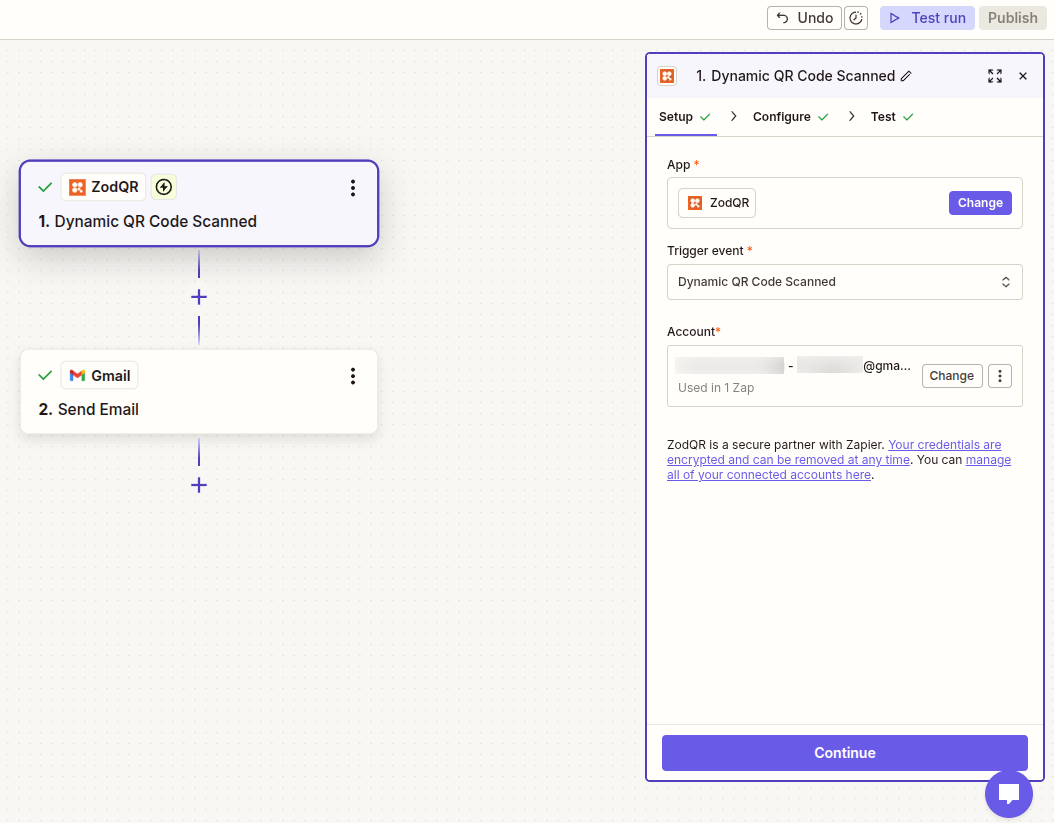
For example, you can:
- Add scan events to Google Sheets
- Send scan notifications to Slack
- Store scan data in Airtable or Notion
- Send scan information to a CRM
- Forward scan events to another app supported by Zapier
See how to trigger a Zap when a QR code is scanned for a step-by-step guide.
Actions
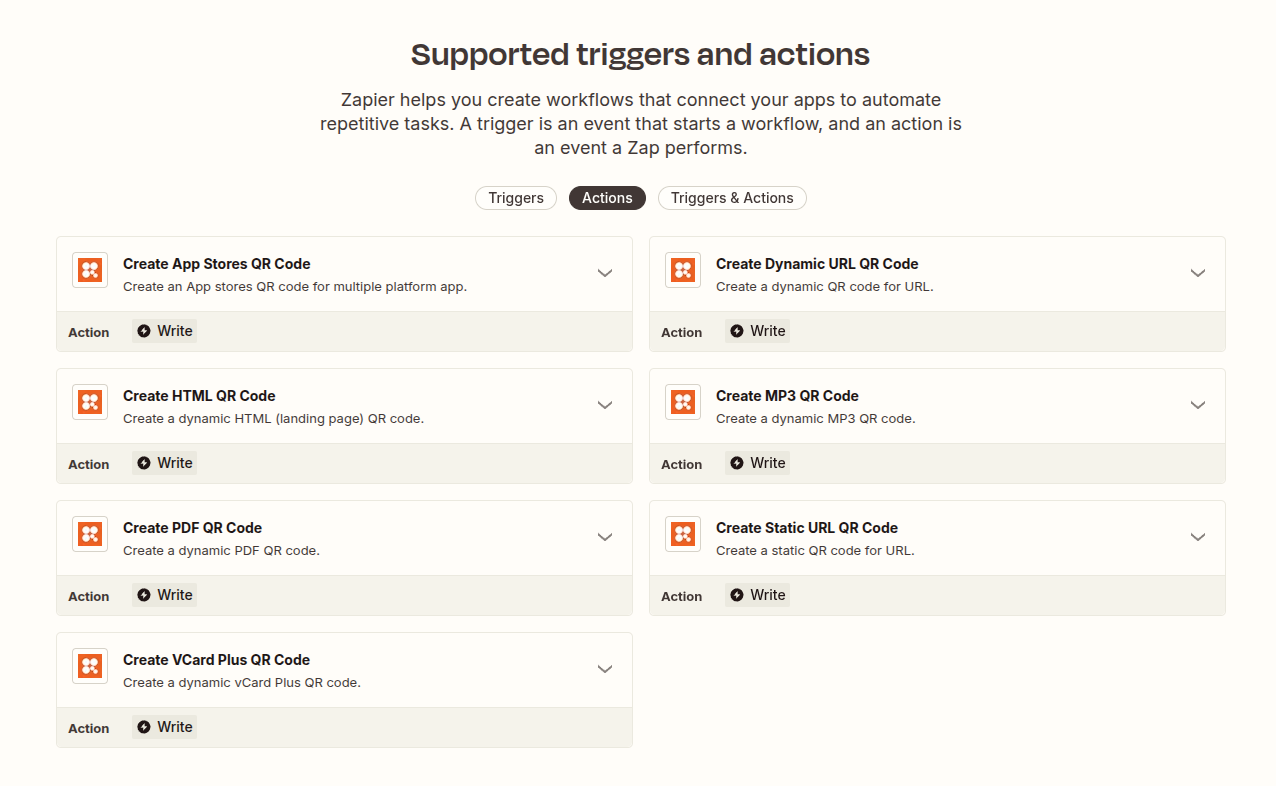
ZodQR provides multiple actions in Zapier, allow your Zap perform generate QR code operations in ZodQR. Currently supported QR code actions include:
- Create static URL QR code
- Create dynamic URL QR code
- Create App Store QR code
- Create Landing Page QR code
- Create PDF QR code
- Create MP3 QR code
- Create vCard Plus QR code
Connecting ZodQR to Zapier
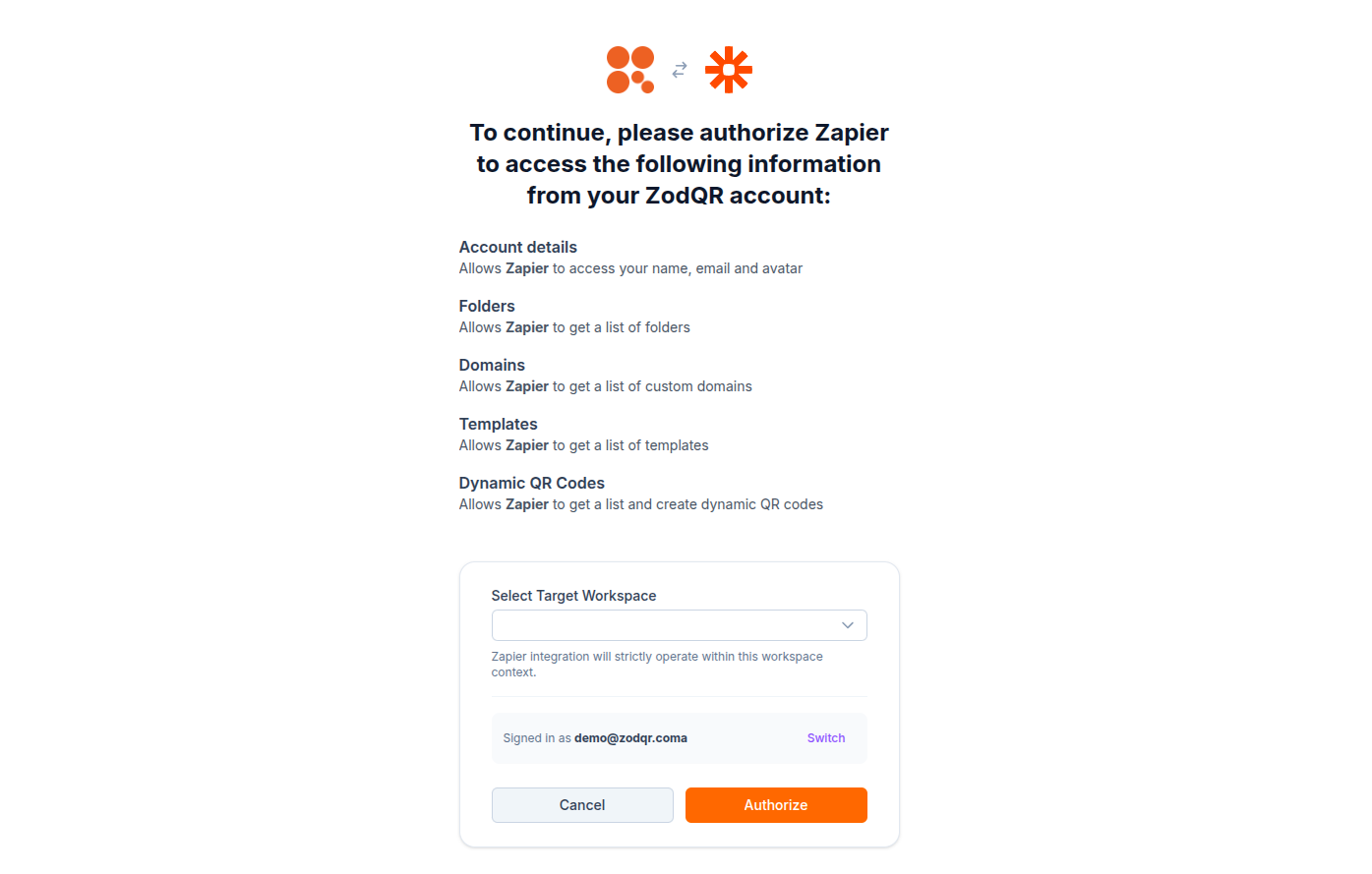
ZodQR uses OAuth 2.0 to connect your ZodQR workspace to Zapier.
When you connect ZodQR in Zapier, you will be redirected to ZodQR to sign in and authorize Zapier to access your workspace. You don't need to copy or manage an API token.
The connected ZodQR workspace determines which QR codes and data are available to your Zaps.
Example automations
Save QR scans to Google Sheets
Send each QR code scan to a Google Sheets spreadsheet to keep a separate scan log or build a custom report.
Send scan notifications to Slack
Send a message to a Slack channel whenever a QR code is scanned.
This can be useful for QR codes used for feedback, events, customer interactions, or other workflows where your team needs to know when a scan occurs.
Store scans in Airtable
Save scan events to Airtable and use the data for custom views, filtering, and reporting.
Send scan data to a CRM
Pass QR scan information to a CRM or another system supported by Zapier.
For example, you can use a scan event to start a workflow that creates or updates a record in HubSpot, Salesforce, or another connected application.
Create QR codes automatically
Use a Zapier trigger from another app to create QR codes in ZodQR.
For example, you could create a QR code when a new item is added to a Google Sheets spreadsheet or when a new record is created in Airtable.
ZodQR + Zapier guides
Learn how to use ZodQR with specific Zapier workflows:
- Trigger a Zap when a QR code is scanned
- Send QR code scans to Google Sheets
- Send QR code scan notifications to Slack
- Send QR code scans to Airtable
- Create QR codes with Zapier
Troubleshooting
ZodQR doesn't appear in Zapier
Make sure you are using the ZodQR integration in Zapier and that your ZodQR account has access to the Zapier integration.
Authentication failed
ZodQR uses OAuth 2.0 for authentication. Try reconnecting your ZodQR account in Zapier if the connection is no longer working.
If you no longer want Zapier to access your workspace, you can revoke the connection from your ZodQR account.
No scan data appears when testing a trigger
Make sure the QR code is active and has been scanned recently.
If Zapier cannot find a sample scan, scan the QR code and then try fetching the sample data again.
You can find more detailed instructions in how to trigger a Zap when a QR code is scanned.
An action cannot find my QR code
Check that the ZodQR account connected to Zapier has access to the workspace containing the QR code.
If you have access to multiple workspaces, make sure your Zap is using the intended workspace.