
Integrate with the API
Learn how to integrate with the API to access and manage your data programmatically.
API integration is available for paid users.
What you can do with the API
With ZodQR API, you can:
- Create, read, update, and delete dynamic QR codes.
- Create, read, update, and delete folders.
- Create static QR codes
Create API token
To use ZodQR API, you need to create an API token:
- From ZodQR dashboard, go to
Integrations>APIConfig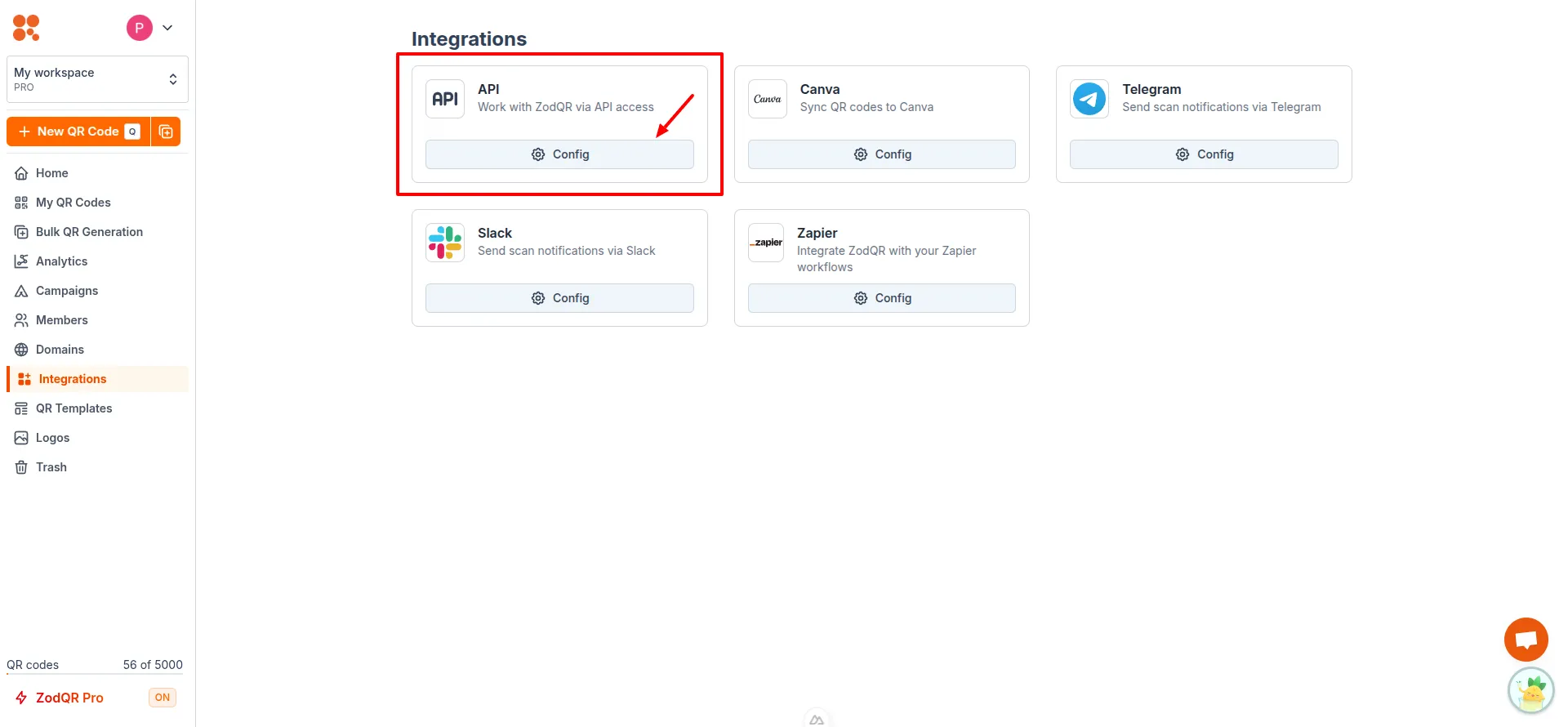
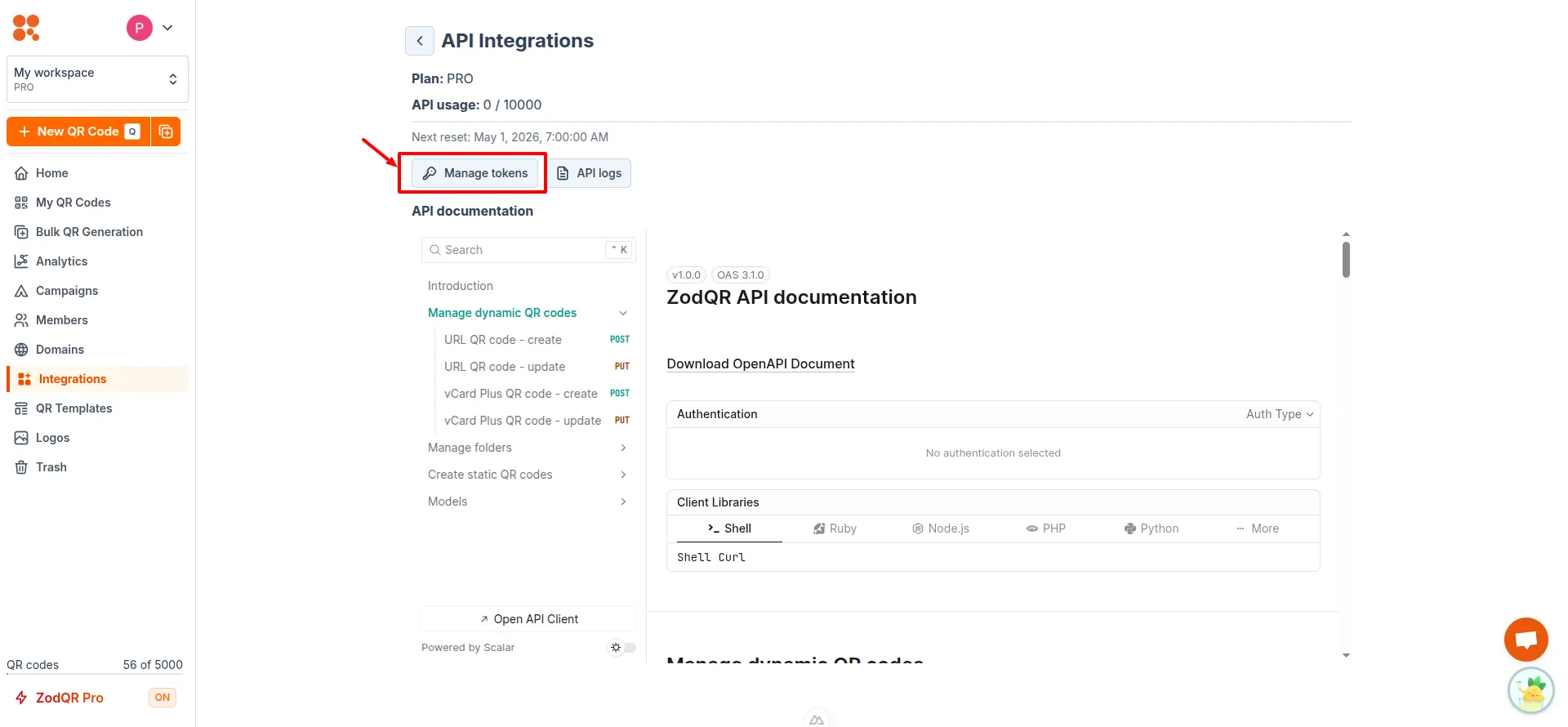
- Click on "Manage tokens" button
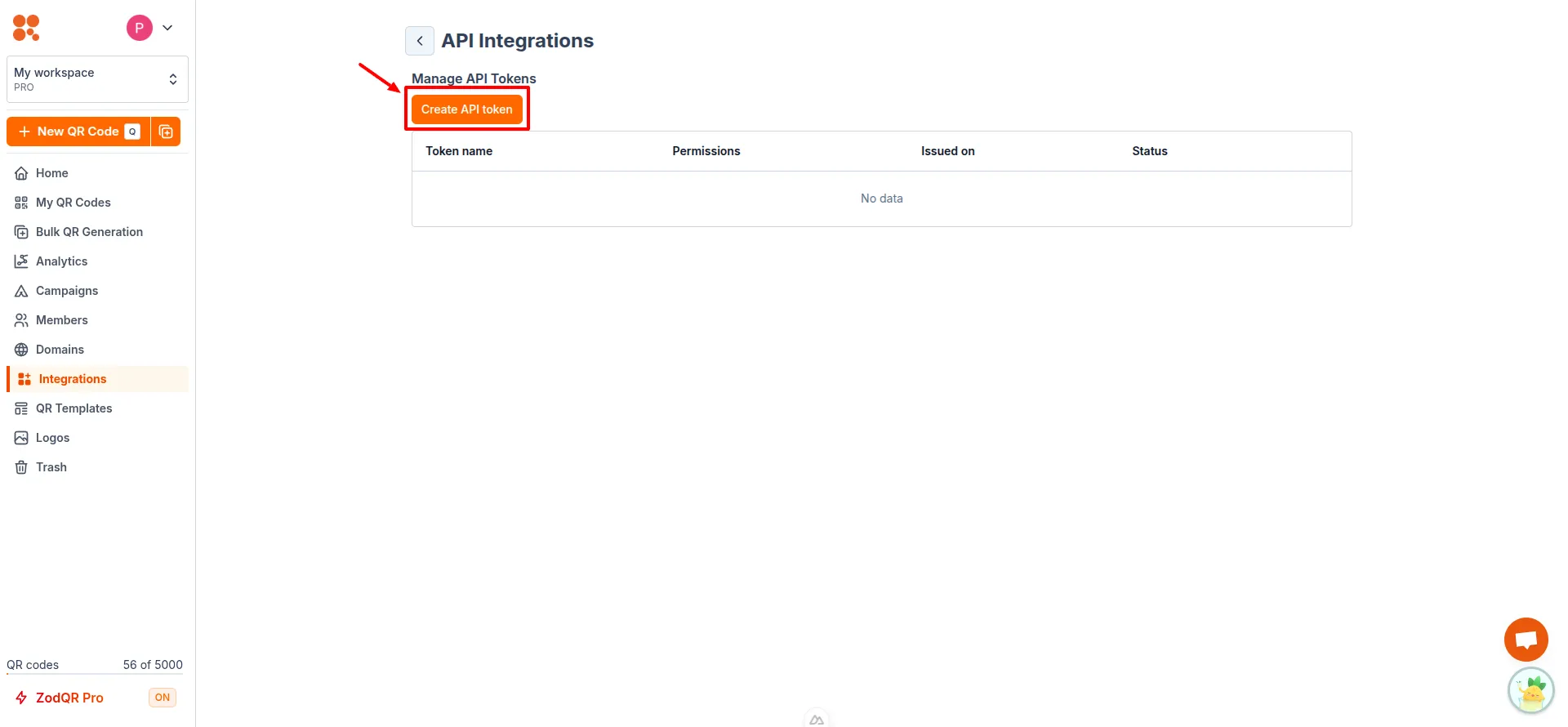
- Click on "Create API token" button
- Enter token name, and select permissions. Optionally, set an expiration date for the token and whitelist IP addresses for added security
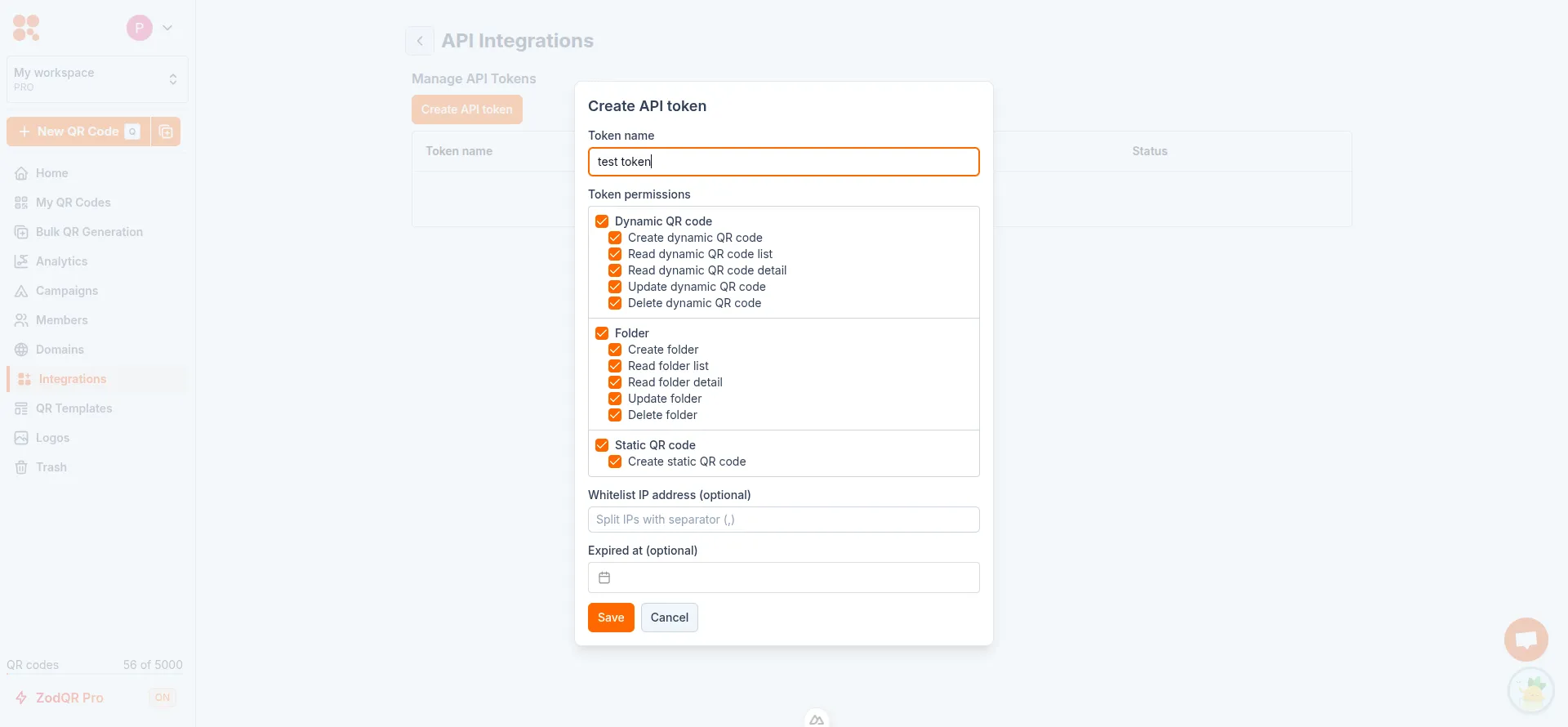
- Click "Save" to generate the token. Make sure to copy the token and store it securely, as it will not be shown again.
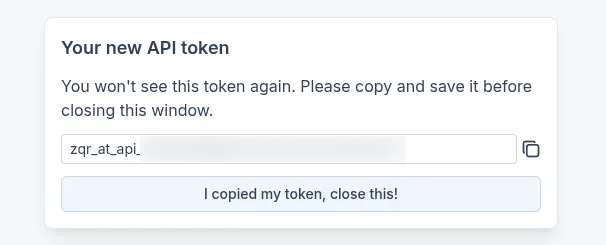
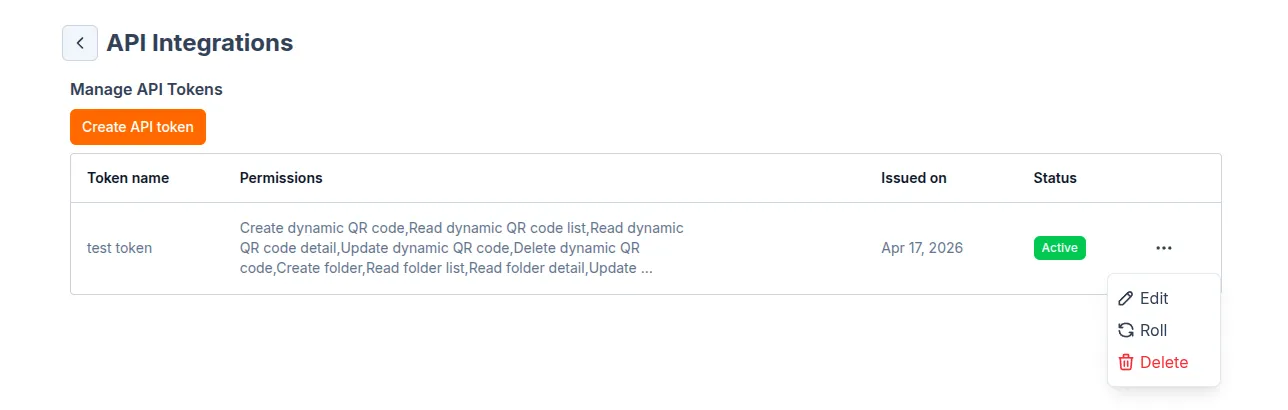
- Generated token will be listed with its name, permissions, issue date, and status. You can edit, roll, or delete the token as needed.
API documentation
You can read the API documentation from API Integrations page, or visit at https://external-api.zodqr.com/scalar.
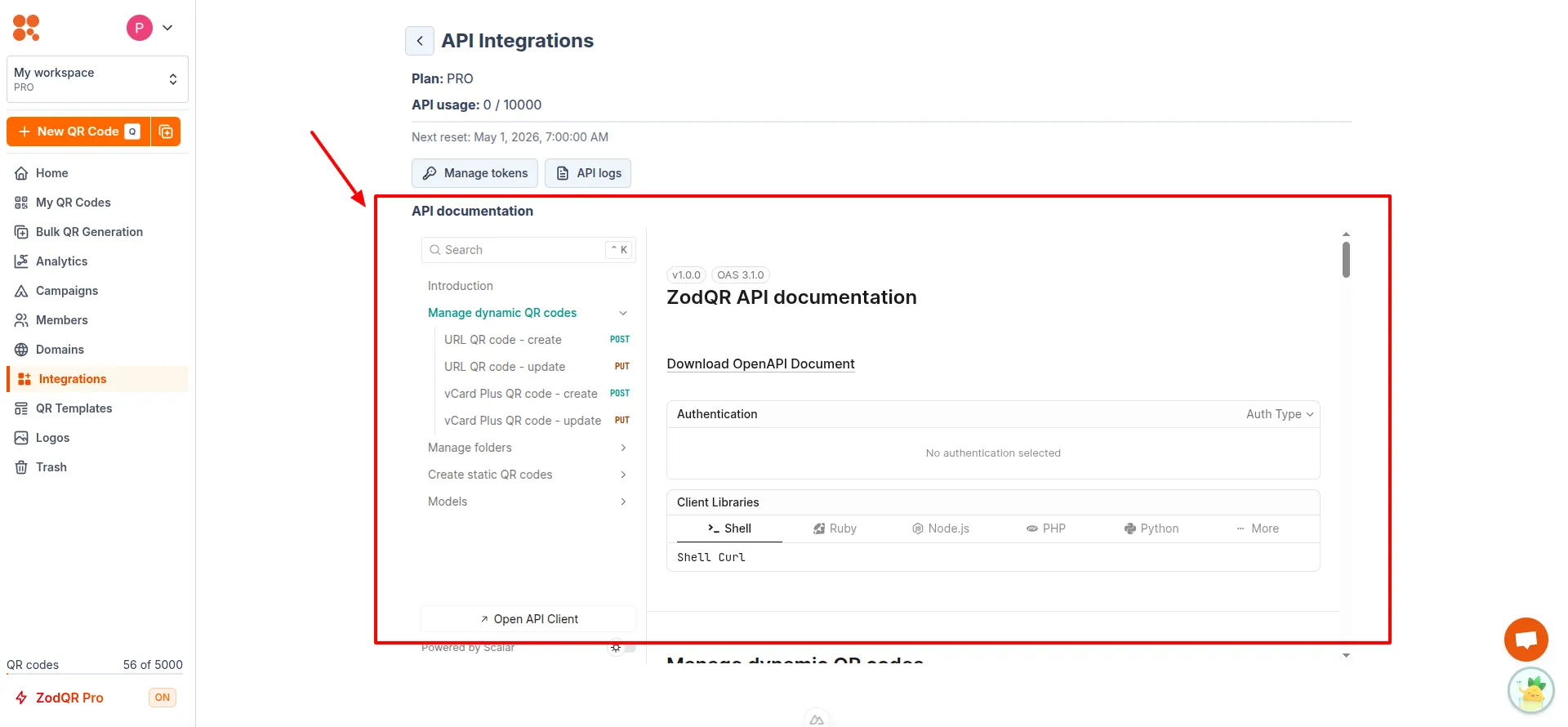
The documentation includes:
- API endpoints and methods
- Request and response formats